
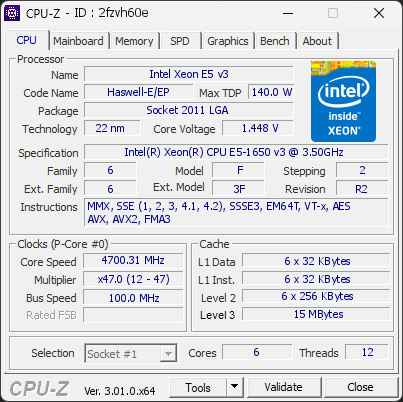
Your processor is using noticeably more power than expected for this model. It is currently drawing 174.3 W, which is over +20 % above typical values. This extra power leads to higher temperatures and unnecessary electrical stress on the CPU.
Such behavior may occur when power limits are raised, when boost settings are too aggressive, or when the motherboard automatically applies performance-enhancing profiles. Even if you haven’t changed any settings, some systems push the processor harder than its usual base limits.
We recommend checking your power settings in the BIOS or software provided by your motherboard. Reducing power limits can help lower temperatures, improve efficiency, and prevent premature wear.
Your RAM is not running in dual-channel mode. This isn’t an issue, but you could gain some extra performance with the proper configuration.
If you have two modules, placing them in the correct slots on the motherboard usually enables dual channel. If you only have one module, adding a second one will activate it automatically.
Your graphics driver has not been updated in over 6 months. You are running version 581.57, released 8 months ago, while a much newer version (582.66) is available.
Such an outdated driver can cause crashes, instability, and serious performance issues.
Updating to the latest driver is strongly recommended to ensure compatibility and stability. Download the latest drivers for your graphics card here: NVIDIA Drivers

Scan this QR code
To open this page on your phone
Previous validations from this PC
Unexpected crashes (BSOD) (5)
Boot Time details
Hardware errors (WHEA)
No hardware errors recorded in the Windows event log.
Driver problems
No driver problems detected.
Flagged processes
33 running processes, none flagged.
Inform a support service
If a partner support service is helping you with this PC, enter the service code they gave you to send them this validation. A valid service code is required.