
Your system has four memory modules installed, and they are not all the same size (8 GB + 8 GB + 16 GB + 16 GB).
With all four slots populated, the CPU’s memory controller is specified for lower frequencies than with two modules, and mixing modules of different sizes makes stable operation harder to achieve. Stability issues may occur.
This configuration can work perfectly fine, but if you experience instability, try lowering the memory frequency in the BIOS, or use a matched kit of identical modules.

Scan this QR code
To open this page on your phone
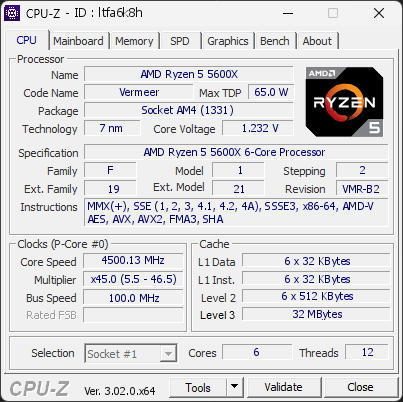
CPU clocks
Last sample and peak over the test, values in MHz
| Clock | Current | Peak |
|---|---|---|
| Cores | ||
| #0 | 4500.13 | 4500.13 |
| #1 | 4500.13 | 4500.13 |
| #2 | 4500.13 | 4500.13 |
| #3 | 4500.13 | 4500.13 |
| #4 | 4500.13 | 4500.13 |
| #5 | 4500.13 | 4500.13 |
| Uncore / BCLK | ||
| L3 Cache | 4500.13 | 4500.13 |
| CPU BCLK | 100.00 | 100.00 |
Previous validations from this PC
Unexpected crashes (BSOD) (5)
Boot Time details
Hardware errors (WHEA)
1 error recorded in the Windows event log.
Driver problems
No driver problems detected.
Flagged processes
47 running processes, none flagged.
Inform a support service
If a partner support service is helping you with this PC, enter the service code they gave you to send them this validation. A valid service code is required.