
The drive KINGSTON SNV2S2000G has spent 12470 minute(s) operating at or above its critical temperature threshold (typically 80–85°C). At these temperatures the controller is forced to throttle aggressively to avoid permanent damage, which causes severe performance loss and accelerates wear.
Improve airflow around the drive, add a heatsink if possible, and verify it is not installed near a heat source. Sustained critical thermal events shorten the drive's lifespan significantly.
The drive KINGSTON SNV2S2000G has spent 25613 minute(s) operating above its warning temperature threshold (typically 70°C). The drive is still functional but is running hotter than its manufacturer recommends for sustained operation, which gradually shortens its lifespan.
Check airflow and cooling around the drive. Adding a heatsink or improving case ventilation usually resolves this.
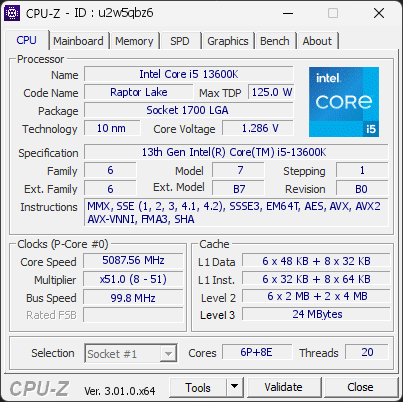
Your processor runs microcode revision 0x11D, older than the 0x12B revision that fixes a known stability and degradation issue on this CPU family.
Intel 13th and 14th generation Core processors could receive excessive voltage from the BIOS, which causes crashes and permanent damage over time. The fix is delivered through a microcode update included in newer BIOS versions.
Update the motherboard BIOS to the latest version from the manufacturer, then check that the microcode revision has changed. Until then, keep the BIOS power and voltage settings at their defaults (Intel Default Settings).

Scan this QR code
To open this page on your phone
Previous validations from this PC
Unexpected crashes (BSOD) (4)
Boot Time details
Hardware errors (WHEA)
No hardware errors recorded in the Windows event log.
Driver problems
No driver problems detected.
Flagged processes
125 running processes, none flagged.
Inform a support service
If a partner support service is helping you with this PC, enter the service code they gave you to send them this validation. A valid service code is required.