
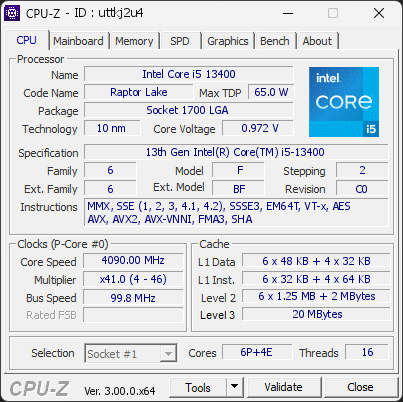
Your processor's power limits (PL1/PL2) appear to be set to an unlimited value. This means the CPU is allowed to draw as much power as it wants, with no enforced safeguard beyond what the cooling and voltage regulation can sustain. While this can unlock maximum performance, the processor may run hotter, consume more energy, and experience increased electrical stress over time.
This configuration is often applied automatically by motherboard manufacturers through performance-enhancing profiles. Even without any user changes, many boards ship with these limits effectively disabled by default.
We recommend reviewing your power limit settings in the BIOS or in the software provided by your motherboard. Restoring sensible PL1/PL2 values (typically aligned with the processor's rated TDP) can help lower temperatures, reduce power consumption, and extend the long-term reliability of your CPU.
The drive WDC WD10EZEX-08M2NA0 has logged 2,139 CRC error(s) on its SATA interface — a severe count indicating a persistent connection problem. This is NOT a drive failure; the drive itself is likely healthy, but the cable, port, or backplane carrying its data is unreliable. Each CRC error means data had to be retransmitted, which can cause stalls, timeouts, and ultimately data corruption if the connection drops at the wrong moment.
Immediately reseat or replace the SATA data cable, try a different SATA port, and check for issues with the drive sled or backplane in this chassis. If multiple drives in the same system show CRC errors, the chassis wiring is the likely culprit.
The partition E: (on disk WDC WD10EZEX-08M2NA0) is almost full, with only 24.2 GB of free space remaining. At this level, Windows may fail to install updates, create temporary files, or operate reliably.
Freeing up space immediately is recommended — use the Windows cleanup tool or remove unnecessary files and applications.

Scan this QR code
To open this page on your phone
Previous validations from this PC
Inform a support service
If a partner support service is helping you with this PC, enter the service code they gave you to send them this validation. A valid service code is required.